

Features
What you can do with Jaisun
An AI receptionist for your phone, an assistant for each person on your team, and agents that work together. Here's what's in it.
- Newrecently added
- Business and Enterpriseneeds a Business or Enterprise plan
- On requestask us to turn it on
Take a look
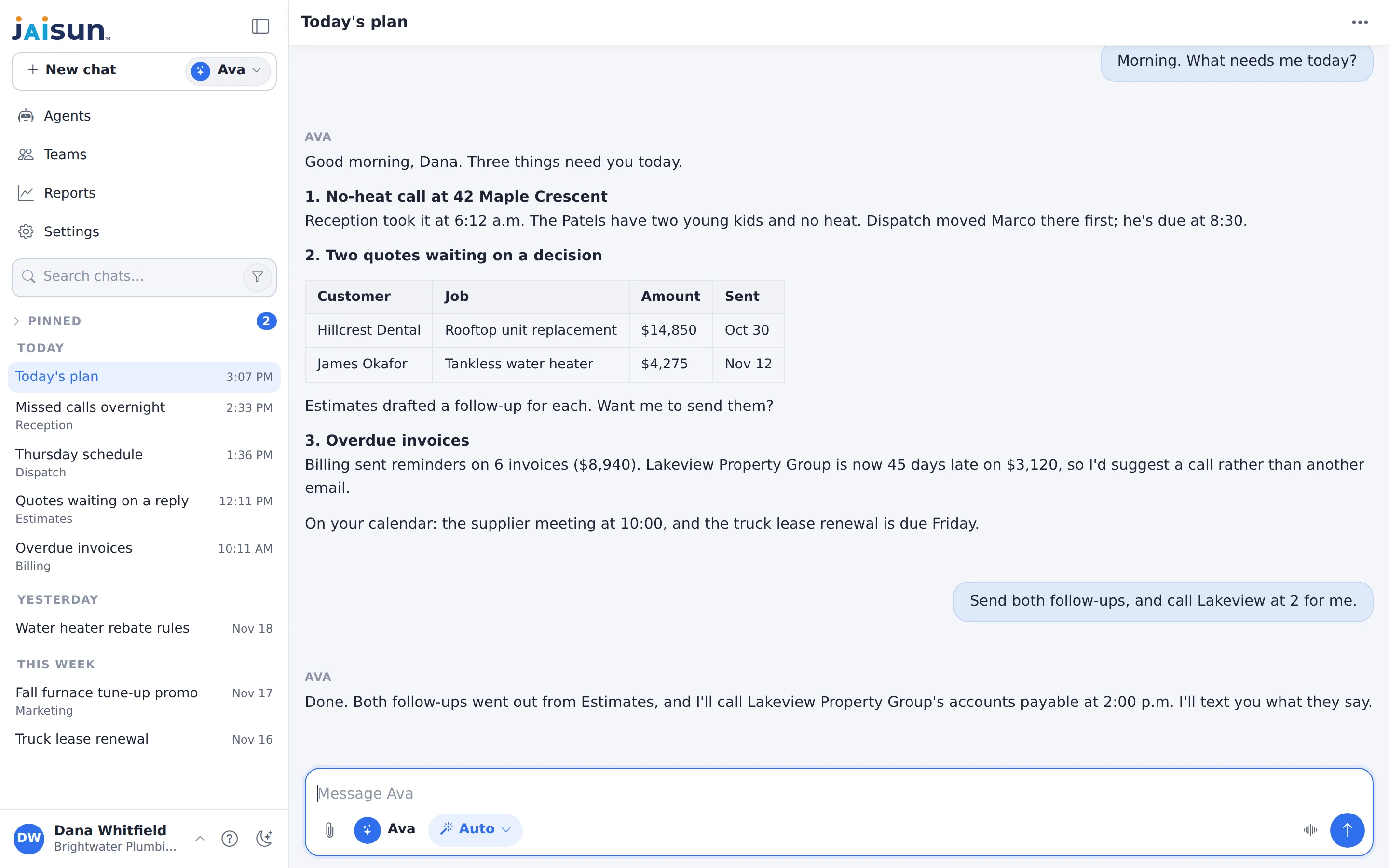
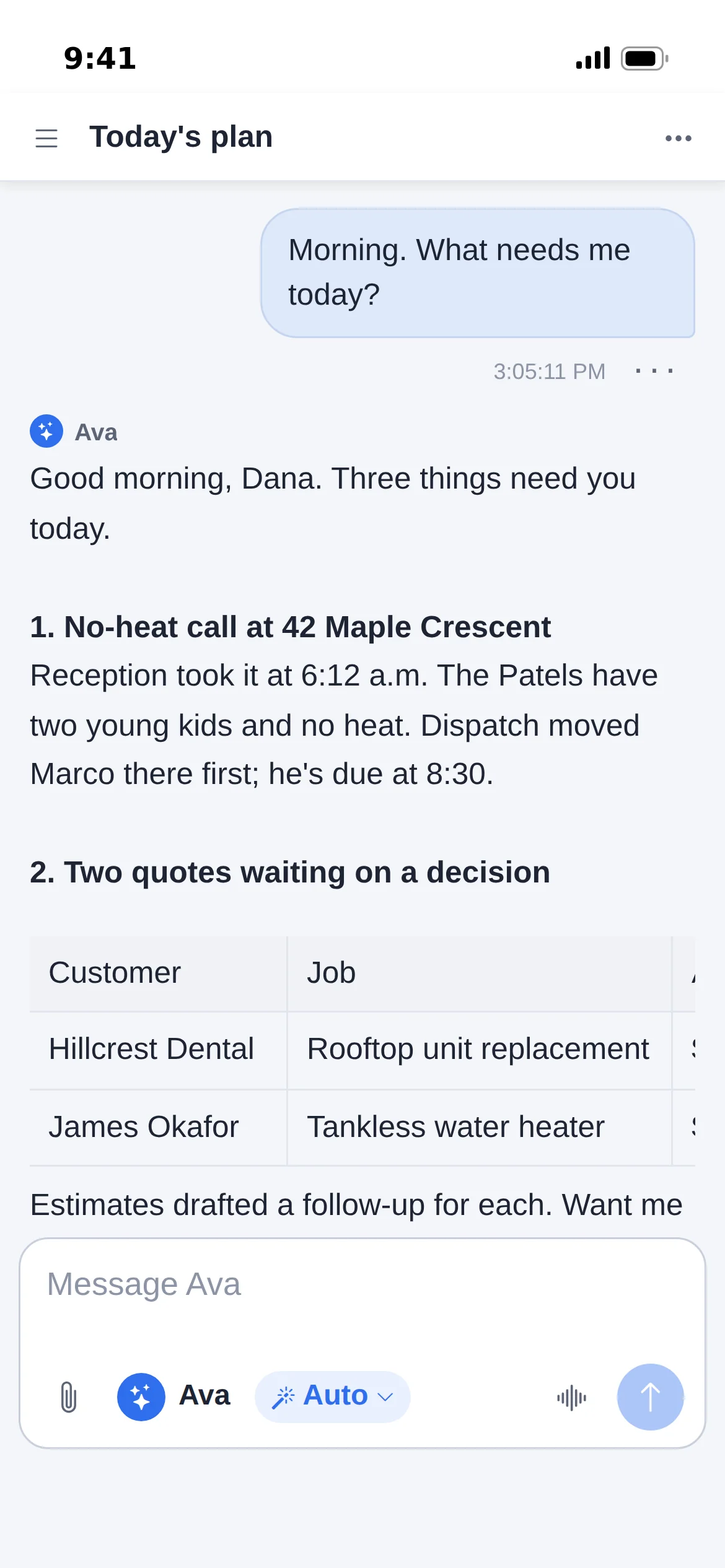
This is what you'll use every day.
Your assistant, your agents and your conversations, on the web and in the app.
Answer the phone
An AI receptionist for your business line.
It answers, in English and French
It picks up your customers' calls in the caller's language, using your website and your documents.
It takes real messages
By phone, text, email or your website's chat: who it is, what they need and how urgent it is. What it doesn't know, it writes down for you.
A text and an email after every call
Urgent ones reach you right away. The rest go in the morning report, with the questions it couldn't answer.
It puts callers through to you
When the caller asks for a person, it reaches you first and connects the call only if you pick up.
No call is lost
Voicemail is the backup if nobody answers. You get a local number in your own area code.
Update it in one sentence
Tell your assistant "we're closed Monday" and the receptionist knows. Change its greeting, hours and transfers the same way.
Take over
Watching a call or a chat? Take it over and talk yourself from your browser, or tell the agent what to say while the customer waits.
Calls, texts, email and surveys
Your agent reaches people for you, and answers when they write.
It makes calls for you
Ask it to phone a supplier, book an appointment or chase a quote. It holds the conversation, works through phone menus and tells you how it went.
Texts and picture messages
It sends texts and pictures, and answers the ones it gets.
Every agent has its own email address
Customers can email an agent directly. It reads and replies, or only reads and lets you know: your choice. Its emails carry your signature.
Survey your customers
Send a short survey from your agent's address: an overall score, a rating for each service the customer has, and a comment box. See the results, low or falling scores, and who's waiting on a follow-up. Email replies go back to the agent, and every email has an opt-out.
An assistant for every person
Everyone on your team gets their own assistant, one that knows your company's documents.
Email, documents, spreadsheets and meetings
It drafts, summarizes, formats and follows up, in your company's voice and with your company's numbers.
It remembers
Your preferences, your files and what you decided last month: it searches your own past conversations, on every channel.
Your own knowledge base
Upload documents or point it at your website, and it answers from what you gave it, rereading your site as often as you choose.
It does the research
Web search, any web page, and directions and travel times from Google Maps.
Tasks, reminders and follow-ups
A to-do list that nudges you, scheduled jobs, and a morning briefing call if you want one.
Talk instead of typing
Start a voice call from any chat, in your browser or the app. It carries on the same conversation, with everything it already knows.
Share a conversation
Send a colleague a link to a conversation in one click.
Show it once
Explain a procedure one time, and it follows it whenever it applies.
Edit the file you already have
Change your own Word or PowerPoint file without rebuilding it; the original is kept. It also reads scanned PDFs, .eml emails, zip files and more.
It asks before it guesses
Important choices come as a quick tap-through form.
Hear any reply
Tap the speaker to have a reply read aloud in your chat's voice.
Agents that work together
Every agent is a role you define, with its own instructions, voice and permissions.
They consult each other
Your sales agent asks your billing agent whether the account is current, then answers the customer. No copy-paste between tools.
They work overnight
Scheduled agents review the day's tickets, chase what went silent and prepare the morning summary.
Teams: agents and people, one goal
Set a goal and a hard budget. A Team HR agent proposes who's needed, you approve, and agents and people work one shared board. You only answer what needs you.
Each stays in its lane
Access is granted per agent, per tool, and can be pinned to a single account or a single folder.
Build and publish
Describe what you want; your agent builds it.
Hosted apps
Describe a small business app and watch it get built, then publish it at your own address.
An agent on your website
Add a chat bubble to your site with one line of code, or ask your assistant to set it up. You choose which sites it can appear on and what it may spend each day.
Apps that talk back
Your apps can offer actions your agents run, and text you, email you or hand a job to an agent when something happens.
Windows apps
Your agent writes a desktop app and hands you an .exe or .msi installer to download.
Phone apps
Build and publish your iPhone and Android app with your own Expo account, connected as a plugin.
Images, video and documents
Marketing material and documents that are ready to send.
Images and posters
Pictures with your real logo and print-ready posters. Every QR code is read back by the system before you get it, so it really scans.
Video, start to finish
Upload a clip or paste a link for a timestamped transcript and a look at what's on screen. Then trim it, reframe it for phones, add captions, your logo, a voice-over, music and sound effects, or join clips together.
Explainer videos from an idea
Describe a topic and get a narrated, whiteboard-style video. Every scene is laid out and checked before anything is rendered.
Voice, music and sound effects
A voice-over in a natural voice, a music bed in the style you describe, or a short sound effect. And animated GIFs.
PDFs, Word, PowerPoint and spreadsheets
Create documents, decks and tables, merge or split PDFs, and swap a picture or code inside a PDF someone sent you without rebuilding it.
Exact numbers and charts
Upload a spreadsheet or data file: it works out exact totals, joins tables and draws the chart right in the chat.
A spreadsheet, row by row
Apply one instruction to every row of a workbook (sort, clean up, write) and get the finished file back.
Connect your systems
Your assistant works where your data already lives.
Microsoft 365
It reads your Outlook email (only the folders you tick), checks your calendar and books meetings.
Business integrations
Sunwire's own systems connect directly. Tell us what you want connected.
Google Ads, with you in charge
Research competitors' ads, get a health check and Google's own recommendations, then build and edit campaigns. New campaigns start paused, and every change asks you first.
Checks for IT teams
SSL certificate, DNS, Whois and web page checks, right from the chat.
Plugins
Connect the services you already use. A plugin asks before it changes anything, unless you've said it doesn't need to.
- SolSwitch
- Stripe
- Notion
- Jira
- Confluence
- monday.com
- Airtable
- Linear
- GitHub
- GitLab
- Cloudflare
- Datadog
- PagerDuty
- Wix
- Mailchimp
- Grafana
- Expo
Connected in a few clicks
Sign in on the vendor's own page, or paste your own key. Each person connects their own account.
You choose what it may do
Pick which of a plugin's tools your agents use, and which always ask you first.
Bring your own
Does your service offer an MCP server? Your administrator can connect it by its address, and each of its tools asks first until you decide otherwise.
Missing one?
Ask for it in one click in the plugin gallery. The most requested come first.
Stay in control
Powerful, with a brake on it.
It asks before it acts
Nothing with consequences happens without your OK, unless you've said it should.
Permissions per person, team and organization
Different people get different answers, and every access is granted tool by tool.
A full audit trail
What was done, by which agent, on whose behalf.
Budgets and live spend
Budget caps and live spend reporting are standard on every plan. You see what you use as you use it.
The right model, automatically
Auto picks the model for each message, or compare them side by side and choose. A Canada-only model option comes with Enterprise.
24/7 support
The Jaisun Support agent answers most questions, and anything technical goes to Sunwire's 24/7 technical team.
Tell us what's missing
Ask for a feature right in the chat, follow it in Settings, and get an email when it ships.
Why not just use the AI you already have?
Because the assistant in your browser can't pick up your phone or work inside your systems.
| General AI tools | Jaisun | |
|---|---|---|
| Answers the phone | No phone line | Answers and makes calls on your own number |
| Channels | Chat, mostly | Web, app, phone, text and email, with one memory |
| Knows your business | What you paste in | Your documents, website, calendar, email and the systems you connect |
| Takes action | Drafts for you | Books, sends, follows up and updates your systems, asking first |
| Multiple agents | One assistant | A team of agents that consult each other |
| Where your data lives | Often outside Canada | Hosted in Canada; Canada-only models with Enterprise |
| Billing | Usually US dollars | Canadian dollars |
How a team gets started
Ready the same day. Connected to your business soon after.
Start your free trial
Pick a plan and try Jaisun free for 14 days. Your workspace is ready as soon as you sign up.
Show it your business
Upload your documents or point it at your website, then connect Microsoft 365, your phone line and the plugins you use.
Hand over the repeatable work
Agents take on the follow-ups, the calls, the reports and the reminders you keep forgetting. You approve what matters.
Ready to try it?
Team plans start at $19.99 a person, a month, and the receptionist starts at $49 a month with minutes included. Prices are in Canadian dollars, plus tax.
Not sure which one you need? Ask Jamie in the chat.